The rule, and the five vehicles
Five vehicles, one turn rule
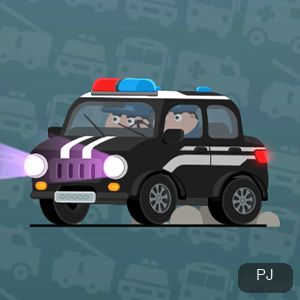
You command fire trucks, ambulances, police cars, school buses, and buses, and each one enters the network needing to reach its own endpoint rather than merely to keep moving.
A car turns when it meets a branch line you have connected, so where you place each fork decides which vehicle it sorts, and a fork that sends the first car home correctly can still misroute the one behind it.
Running the level
GO starts the traffic; Reset re-runs the level
Both controls sit on the play screen. GO releases the vehicles along the roads you have built, and Reset clears the level back to its starting state so you can rebuild without waiting out the traffic.
Planning happens before GO, once released, the vehicles drive themselves along the network you set, so the useful window for changes closes the moment the traffic starts moving.
Missions
Six missions earn you a present
The game tracks progress through missions rather than one unbroken run; its own text reads “Get a present after finishing 6 Missions,” so the count is a target you can see.
Treat each level as one mission toward that count instead of replaying a level for its own sake. A level you clear becomes progress even when it is not the hardest one on the screen.
Coins and unlocks
Coins, the money-box, and unlocks
Coins accumulate on their own (the game's tooltip reads “One coin every 2 seconds”) and the money-box (Money-box) is where they build up between levels.
Coins gate the unlock panel: specific items show “Priority use of gold coin unlock,” and prices such as 1000 and “30 times” appear there. If a level feels impossible, the unlock route is the intended way out.
A worked goal
A worked goal: getting the school bus to school
One of the level prompts reads “Drive the school bus to school,” and it works as the clearest example of the turn rule: trace the bus from its entry point to the school endpoint, then place only the forks the bus needs.
A single well-placed branch usually sorts more than one vehicle, because every car obeys the same turn rule. One fork aimed at the school can put the bus on its road and shape the line for the cars behind it.
Building
Sliding connects the routes
The game's own prompt reads “Sliding to connect routes,” which names the basic gesture: you slide across the field to draw the branch lines that the vehicles will meet on their way to their endpoints.
Because turning happens at the branches you connect, the shape you slide matters more than the speed. A clean line into each fork keeps every vehicle on the route it was meant to take.
Route prompts
The ambulance and the bus join the school run
Beyond the school bus, the game issues its own route prompts (“Drive the ambulance to the hospital” and “Drive the bus to the bus stop”) so each vehicle type has its own named destination.
Notice the pattern behind the wording: every prompt pairs one vehicle with one destination, which tells you exactly which endpoint to trace when you plan that vehicle's forks.
Common questions
Coins, missions, and the traffic
Does Road Connection have a time limit?
The play screen carries a running readout (Pass time), so time is visible while you build and run, but nothing counts down to force your hand.
What are the coins for?
Coins accumulate automatically (one coin every 2 seconds) into the money-box (Money-box), and they gate the unlock panel with its item prices.
I placed a route wrong. Do I have to watch the traffic fail?
No. Reset clears the level back to its starting state, so you can rebuild and press GO again without waiting out the run.
When should I press <code>GO</code>?
Plan first. GO releases the vehicles along the roads you built, and from then on they drive themselves, so press it once the fork plan is set.
The build is slow to appear, what now?
The game loads inside an embedded player, so the first screen can take time. Refresh only as a last resort, because a reload starts the level over from scratch.