Shooting
Swiping is the whole control scheme
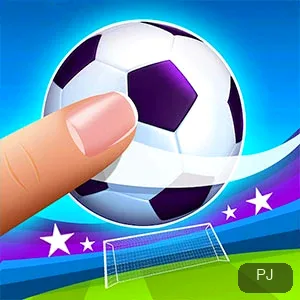
The game states its control in its own tutorial line: “Swipe toward the goal to shoot.” One gesture aims and strikes, because the swipe's direction sends the ball toward the goal.
There is no aim-then-power sequence to learn, so the first match already puts the whole move set under your thumb. What changes between matches is the situation, not the gesture.
Special skill
Fill the bar, then draw a star
Your energy bar fills during play, and the game announces when it is full: “Your energy bar is full. Draw a star to activate a special skill.” You do not have to watch for the moment blindly.
The star is a different gesture from shooting, so the skill is switched on deliberately rather than spent passively. A full bar left alone simply waits until you want it.
Counter-attacks
Expect the counter-attack
The game flags the risk in its own text (the opponent can counter-attack at any time) and names the moment with a dedicated OPPONENT COUNTER ATTACK state on screen.
That makes a match a back-and-forth rather than a one-way drill: a shot you take can hand the opponent the next move, so every swipe carries a little of their reply.
Match states
Penalties, power shots, and SP
Match states include PENALTY and POWER SHOT, which means some moments ask for more than a routine swipe, a different situation calls for a different touch.
The game also tracks SP beside a Skill Unlock counter. These readouts sit on top of the swipe-and-star loop rather than replacing it, so the two gestures stay the reliable core.
Reading the match
Reading the score and the clock
The game explains its own interface: “This is the game score and timer. Try to score as much as you can.” Both readouts stay visible, so the objective is never hidden.
A Win or Lose result closes the match and cues the end of the exchange. The score shows what to chase while the timer shows how much time is left to chase it in.
Session shape
Score, timer, and one match per sitting
Because a match runs on that visible score and timer, one match is a natural unit for a sitting: enter, trade swipes and stars, and leave when a Win or Lose result lands.
Longer sessions just mean more matches in a row. Since the two gestures carry over, a fresh match needs no re-learning. Stop after any result and start the next one whenever you return.
Loading
The Continent and International Cup line is your loading readout
Before the play screen, the build shows “We are setting up your profile for Continent and International Cup ...”. The game is still preparing, not missing a menu.
Treat the line as the signal to wait. A reload during setup restarts the profile work, so patience on the first screen is the faster route into a match.
Shelf choice
The swipe and the star against the sports shelf
The sports shelf divides by input style: Bouncy Dunks moves with TOUCH AND DRAG, while Fierce Shot settles on a swipe toward the goal and a drawn star for its special skill.
Pick Fierce Shot for a cup-framed career with match states to read; pick a single-gesture shelf mate for play that opens straight into motion. The readouts on screen decide which is which.
Common questions
Shooting, skills, and the counter-attack
How do I shoot in Fierce Shot?
Swipe toward the goal. The game's own tutorial text reads “Swipe toward the goal to shoot.” The direction of the swipe sets where the ball goes.
How do I use my special skill?
Wait for the energy bar to fill, then draw a star. The game prompts this directly: “Your energy bar is full. Draw a star to activate a special skill.”
Can the opponent score against me?
Yes. The game warns that the opponent can counter-attack at any time, and shows a dedicated OPPONENT COUNTER ATTACK state, so plan for shots to come back at you.
What does the profile line mean while I wait?
“We are setting up your profile for Continent and International Cup ...” is the build preparing your profile. Wait for it to finish. Reloading restarts the setup from the beginning.
Is one match a complete session?
Yes. Matches run under the on-screen score and timer, and a Win or Lose result closes the match, so you can stop cleanly after any result and start the next match later.