Flipping and expanding
A swipe both rolls a block and grows it
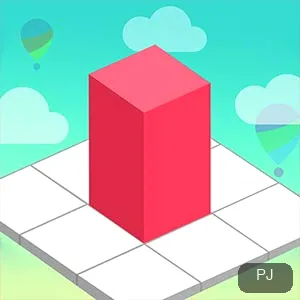
Blocks are moved by swiping, and the same action expands them, so position and size are tied together rather than controlled separately. Every roll changes both at once, which is a lot to keep track of in a single gesture.
That means a block you roll into a corner has also grown into it, and getting it back out is the same gesture run in reverse: the way out is to keep rolling, not to hunt for a separate shrink control.
The objective
Fill the space the level shows
Each level presents a target area, and the level is cleared when your blocks fill that space, so the measure of a good move is coverage rather than tidiness. A neat layout that leaves holes has not finished the level.
A block that covers two gaps awkwardly is worth more than one that covers a single gap perfectly, and a move that adds no new coverage is the one to question first.
Order
Expand into the openings before they close
The levels that stall are usually the ones where a block grew early and sealed the gap you later needed, so the order of your swipes matters more than their speed. The first few moves decide which openings are still reachable.
The practical rule is to open up the tight spaces first while blocks are still small, and to leave the wide areas for when they have grown, because growth only makes narrow openings harder to reach.
Session
From the first swipe to the filled space
One sitting is a sequence of single-level runs: press Play, fill the target area, then take the next level the screen offers, the same short loop of roll, check, and roll again.
Because a level ends when the space is full, a finished stage is a clean place to stop; leaving mid-level means coming back to that same space again after a reload, so the natural break in a sitting is the filled board.
Loading
An empty space after a reload
The game loads inside an embedded player, so the first screen can stay quiet while the build warms up. The Play control appearing is the sign that the level behind it is ready.
A refresh starts everything over, so a reloaded attempt returns to the opening of the current level rather than restoring a half-filled space; when the first screen stays blank, the usual answer is more waiting time rather than another refresh.
Comparison
Growth, not matching: the shelf difference
Most of the puzzle shelf works by removing pieces (pairing tiles or clearing matches away) while Roll The Block works by growing one set of blocks to cover a space, so the two groups reward different habits and different kinds of planning.
Choose this one when you want a build-up feel where every move changes the board; choose a pair-and-clear title when you want to thin a board down instead of filling one up.
Common questions
Flipping, filling, and reloads
How do I move blocks in Roll The Block?
Swipe. The swipe both rolls a block and expands it, so position and size change together on every move.
Why do I keep getting stuck part-way?
Usually because a block grew early and closed an opening you needed later. Handle tight spaces first, while blocks are still small.
Should I fill the small gaps first?
Yes. Blocks grow as you roll them, so the narrow openings are the ones that stop being reachable. Take them while there is still room.
Why is the first screen blank for a while?
The game loads through an embedded player, so the build can sit quiet before Play appears. Patience usually beats refreshing, since a reload starts over from scratch.
Can I stop halfway through a level?
You can, but a reload returns you to the start of that level with its space empty again. A finished space is the cleaner place to stop.