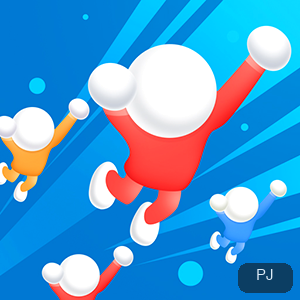
[Steering]
Slide up and down to steer; Sprint to push
The opening prompt reads slide up and down to start the game, so steering is a vertical slide rather than a tap, and your line through a section is set by how far you move.
A Sprint control sits alongside it, which gives the course both a cruising line for ordinary stretches and a way to push harder through a dense part when you need it.
[Levels]
The course is split into numbered levels
Progression is level-based, with the game labeling the run lv:1, lv:2, and lv:3, and the obstacle field grows denser as the numbers climb, so later levels mean busier water ahead.
Each level is its own run, so a bad start costs you that level rather than the whole session, and clearing one lv gives you a clean, natural place to stop.
[Offline]
It plays offline
An Offline marker appears on the level screen, so the game does not need a live connection to run a level, which makes it a dependable pick on weak networks.
That also means a dropped connection is not what ended your run, so when play stops suddenly, the cause is inside the game rather than your network going quiet on you.
[The team rule]
Your swimmers are your lives
Extra swimmers you collect along the way join your team, and a collision costs one swimmer while the team is larger than two, with a lone swimmer left having no second chance.
That makes pick-ups a buffer rather than a score, because a bigger team is what lets you survive one mistake in the next section of the course instead of ending the run.
[Obstacles]
Rocks, reefs, whirlpools, and boats
The course mixes obstacles that sit in your line with ones that move through it: rocks and coral reefs are fixed, while whirlpools and boats travel across the field of play.
Which of the two you approach decides whether you hold your line or take the detour, since a fixed reef can be planned around in advance but a moving boat cannot.
[Session]
Each lv is a self-contained run
A short sitting maps cleanly onto one lv: you steer in, survive that obstacle field, and stop when the level you entered is done, so the pacing stays in your hands.
Because each lv reruns from its own start, quitting after a finished level wastes nothing at all, and returning later simply means picking the next labeled number on the screen.
[Offline loading]
Offline does not mean loading-free
The Offline marker concerns your connection, not the game itself, and the game still opens through an embedded player whose first screen can take a while to fully settle down.
A reload starts the level over, so when the screen lingers at the very start, let it finish settling instead of refreshing away the run you were about to begin.
[Where it fits]
Sprint and slide mark a runner, not a collector
Among this shelf's offerings, some grow a roster by drawing and merging, while this one is a continuous obstacle run, so the skill exercised here is steering rather than collecting.
Pick it when you want quick, offline-friendly action with an explicit lv label visible; choose a collection or level-puzzle game instead when you prefer slower, deliberate build-up progress between your stops.
Common questions
Steering, offline play, and collisions
How do I control Float Runners?
Slide up and down. The game's own opening prompt reads slide up and down to start the game, and a Sprint control is available as well.
Can I play Float Runners offline?
Yes. An Offline marker appears on the level screen, so a live connection is not required to run a level.
What happens when I hit an obstacle?
You lose one swimmer as long as your team is larger than two. With a single swimmer left, a collision ends the run.
Do I need to be online for the game to load?
No. The Offline marker covers play, and the initial load happens through the site's player either way, so a weak connection can slow the first screen without blocking the level.
When should I stop a session?
Right after you finish the lv you entered. Each level is its own run, so stopping there keeps the next session as simple as picking the next label.